Student guide · Homework
Find your homework
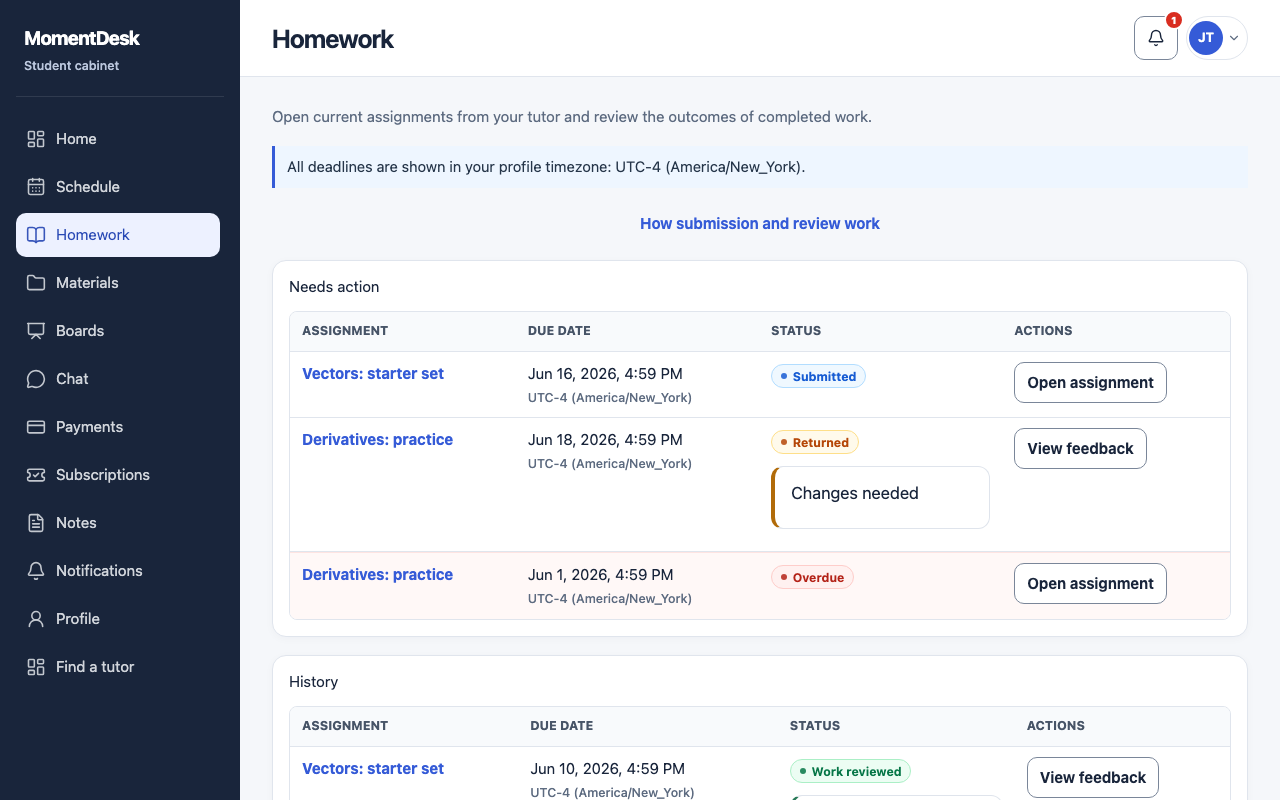
The page separates active assignments from accepted or not-completed work.
Students keeping track of what is due.
What you end up with
You can find active work and recorded outcomes.
What to do
Open Homework
Choose Homework in the menu.
Start with Needs action
Needs action includes active assignments, including submitted work awaiting review and work returned for changes. Read the status before deciding what to do.
Check the due dates
Each assignment shows its deadline in your own time zone. An overdue assignment is marked.
Look in History
History shows accepted or not-completed work and any available grade or comment. Cancelled assignments are excluded from the active list.
Open an assignment
Open assignment shows the instructions, the attached files and the form for your solution.