Student guide · Your workspace
Use your home page
Home answers what changed since you last looked.
Students using MomentDesk between lessons.
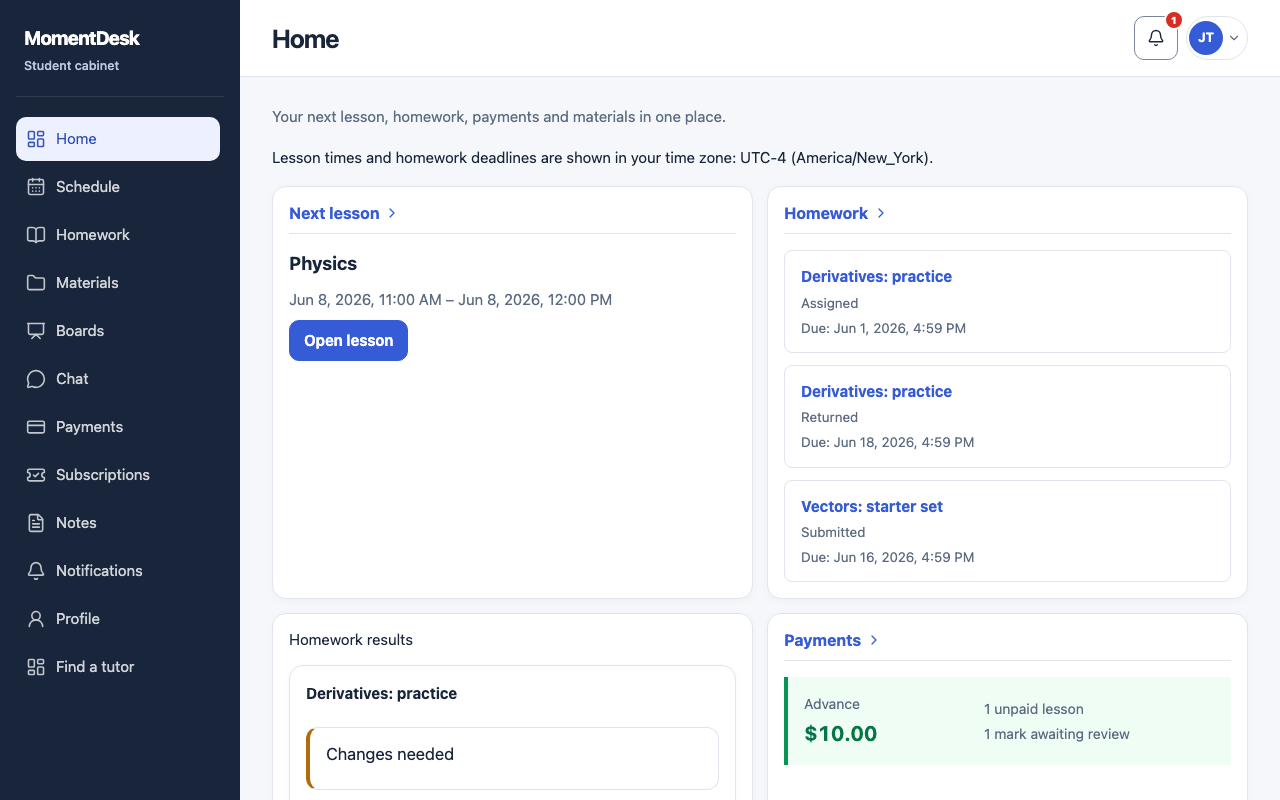
What you end up with
You know what to do next without opening every page.
What to do
Read what changed
The What changed block lists the newest things: a new assignment, a reviewed piece of work, a moved lesson.
Check your next lesson
Next lesson shows the subject and the time in your own time zone.
See what homework needs action
The homework block separates work you still have to do from work you have already sent.
Check payments and materials
The payments block shows your balance and anything due; the materials block lists what your tutor has shared.
Read your tutor's feedback
Tutor feedback collects the comments from reviewed work, so you do not have to open each assignment.
Good to know
- Lesson times and homework deadlines are always shown in the time zone set in your profile.