Tutor guide · Account and settings
Confirm your country of activity and business details
Your country of activity is a choice you confirm yourself. You can teach before completing this profile.
Tutors setting up or updating their own business details.
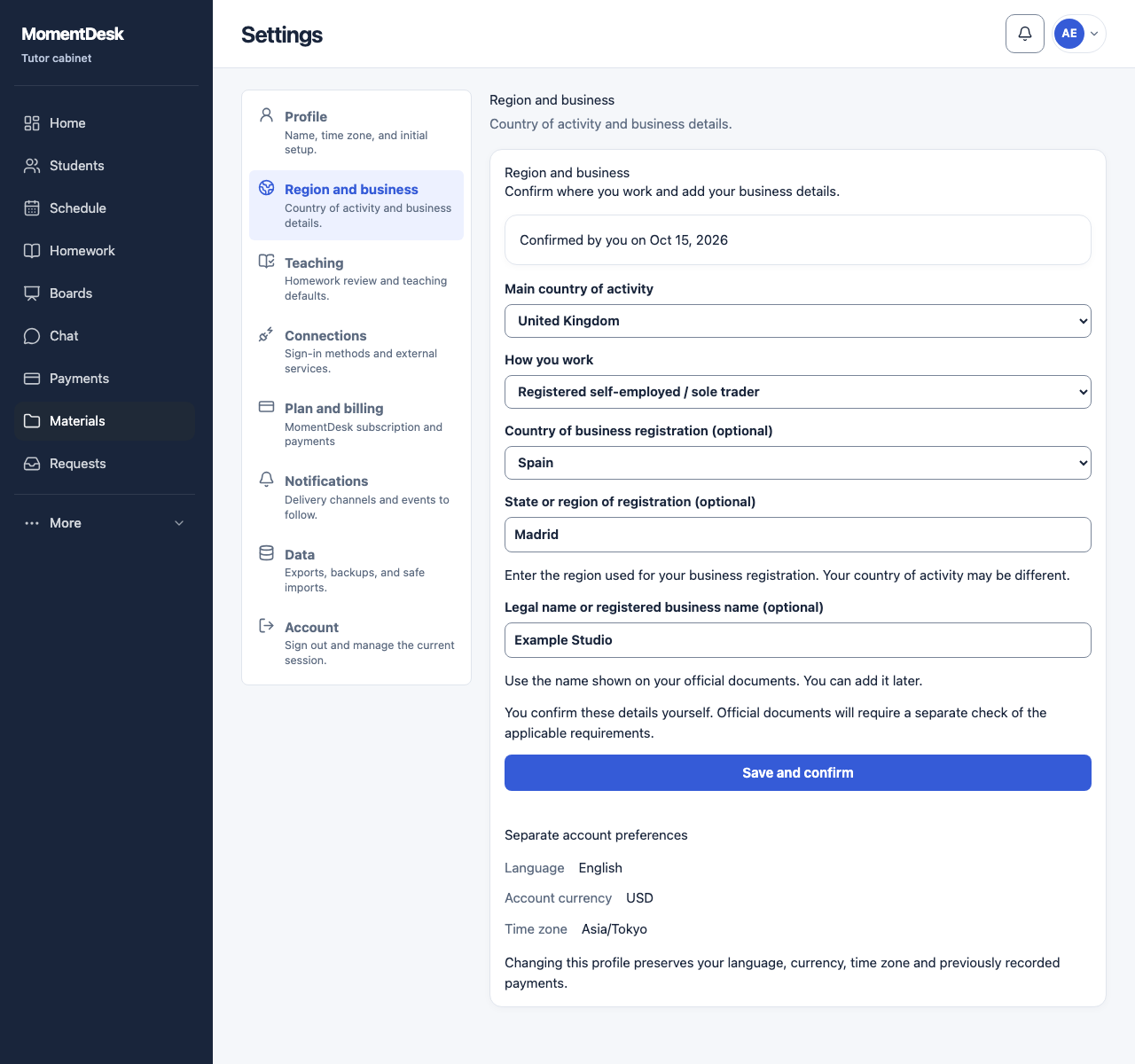
What you end up with
The saved profile shows your declared activity country, business details and confirmation date.
What to do
Open the separate settings section
Open Settings → Region and business. Quick setup also contains this form. An unconfirmed profile starts with an empty country choice.
Choose where you work
Choose Main country of activity. The interface language, your device location and your time zone do not confirm this choice.
Add the details you know
Choose How you work. You can leave I will clarify this later. Country and region of registration and legal name are optional. Registration can be in a different country; choose its country before entering its region.
Confirm the information
Choose Save and confirm. Wait for Business profile saved and the date confirmed by you. If saving fails, keep the form open and retry: your entered details remain.
Return when your situation changes
Reopen this section, update the details and save and confirm again. Switching the interface language keeps the saved country and business details.
Good to know
- Changing this profile preserves your language, currency, time zone and previously recorded payments.
- You can complete this later in Settings → Region and business. Lessons remain available.
Questions
Why is my country still unconfirmed?
Your existing account country, language and time zone do not confirm your business activity. Select the country and choose Save and confirm yourself.
Will this change my payments or account preferences?
Your language, account currency, time zone and previously recorded payments are preserved. Business-profile changes do not convert old amounts or issue documents.
Does confirmation verify my tax registration?
It records your own declaration. It does not establish tax residency or verify registration. Official documents and accounting connections require their own applicable checks.