Tutor guide · Students
Keep shared notes with a student
A shared note appears in the student's workspace as soon as you add it.
Tutors who want recommendations to survive between lessons.
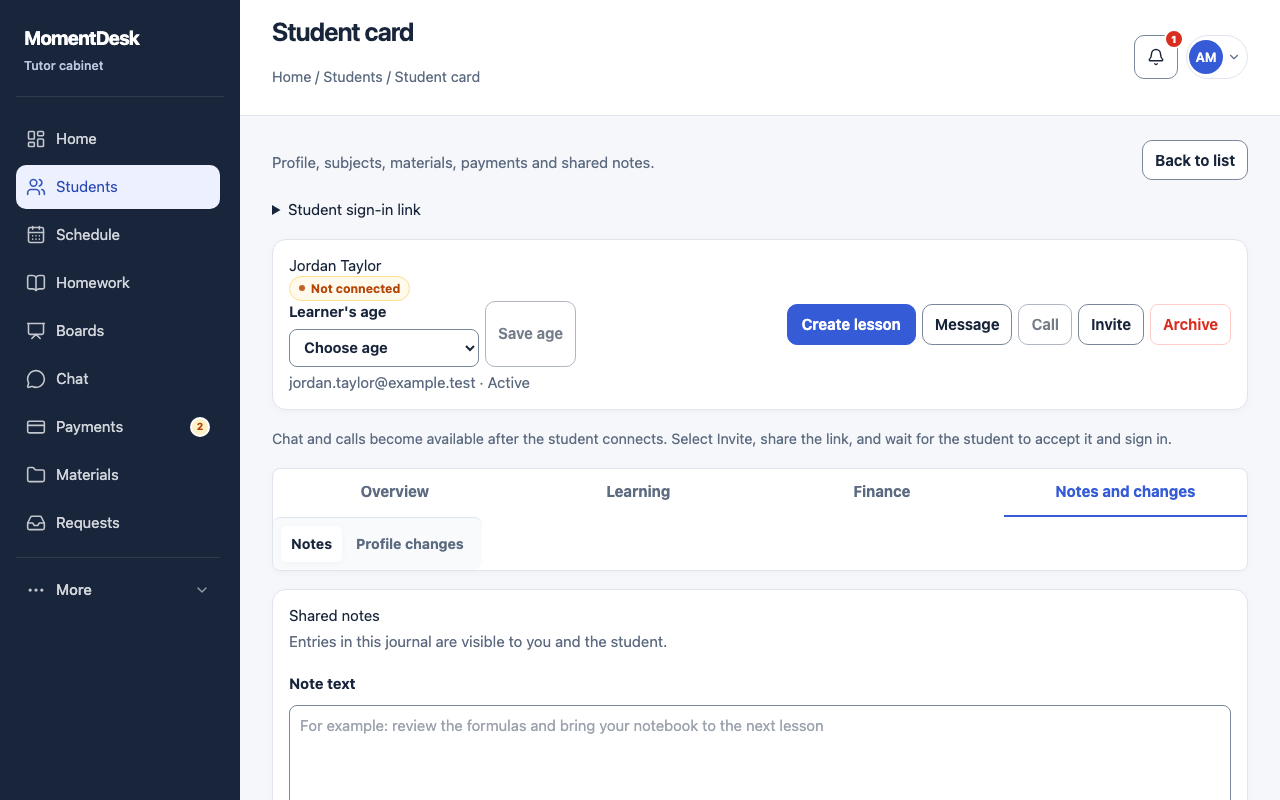
What you end up with
Advice lives with the student record instead of scrolling out of a chat.
What to do
Open Notes
Open the student record and choose Notes in the Notes and changes group.
Write the note
Fill in Note text and choose Add note. Keep it about the work: what to practise, what to bring, what went well.
Check what the student sees
Entries in this journal are visible to you and the student. The student finds them under Notes in their own workspace.
Keep private observations elsewhere
Internal notes and financial comments belong to the fields marked as tutor-only, not to shared notes.
Good to know
- A shared note is not a message. Use chat when you expect a reply.