Student guide · Payments
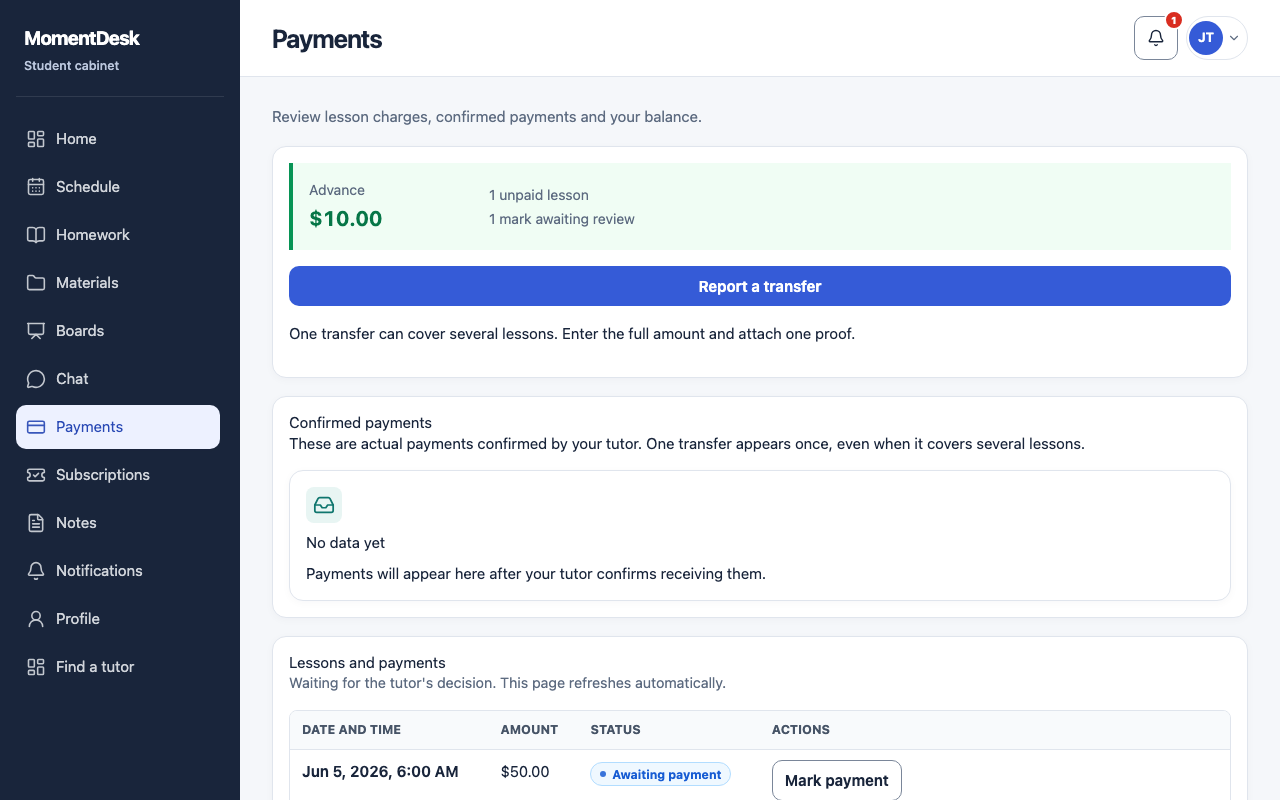
Check your balance and payments
Your payments page is your tutor's record of what you owe and what you have paid.
Students who pay their tutor directly.
What you end up with
You can see how a balance was reached instead of asking.
What to do
Open Payments
Choose Payments in the menu.
Read the charges
Each lesson shows its status: awaiting payment, in review, paid, payment not required, overdue or partially paid.
Read the confirmed payments
Confirmed payments lists the money your tutor has recorded as received, with its date and amount.
Check the balance
The balance shows an amount due, an advance, or nothing outstanding.
Good to know
- MomentDesk does not take lesson payments. You pay your tutor the way you agreed, and the record follows.
- A payment you reported is only counted once your tutor confirms it.