Tutor guide · Group lessons
Create a group and teach it
A group brings individual students together through a shared subject. Each keeps their own card and payment terms.
Tutors teaching more than one student in the same lesson.
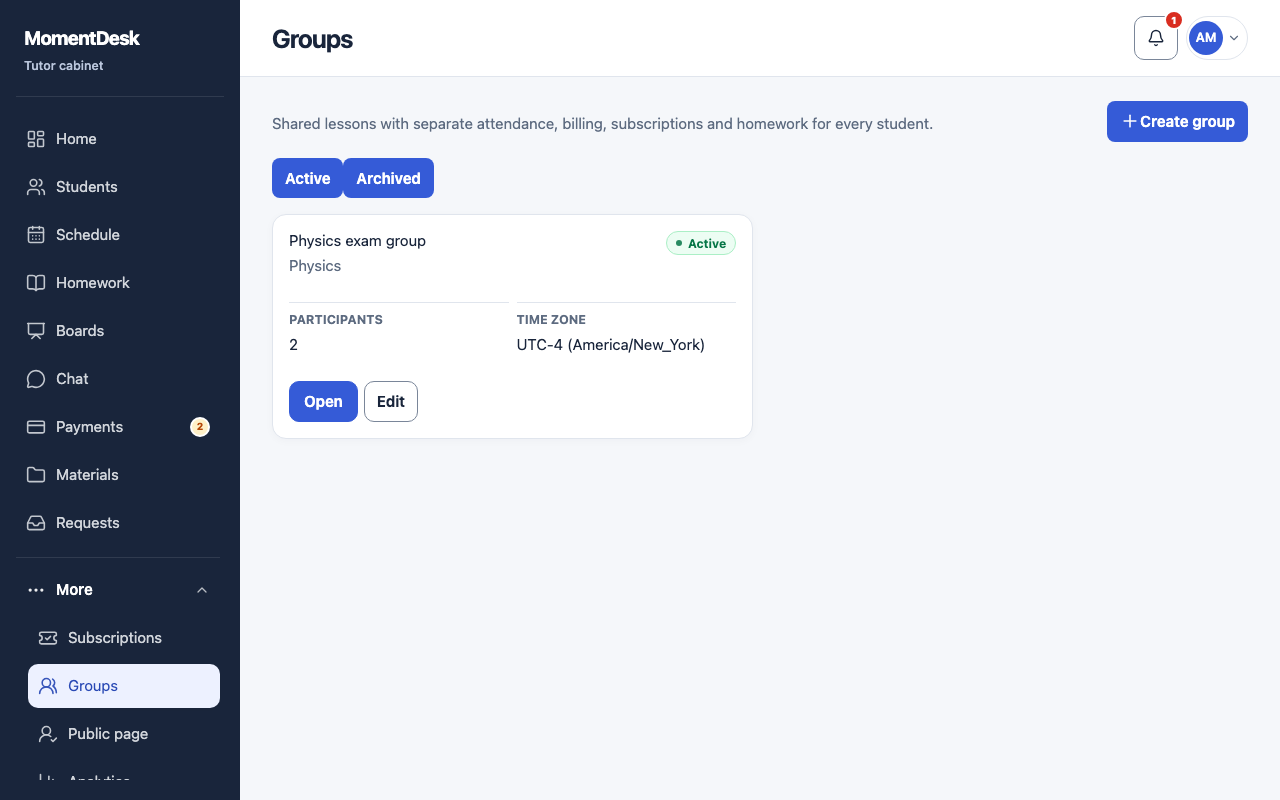
What you end up with
The tutor sees one calendar entry; outcomes and charges are recorded separately for each participant.
What to do
Open Groups
Choose Groups under More, then Create group.
Create the group
Enter a name and time zone, choose a shared subject and at least two students who already have it in their cards. Every rate must be set; individual rates and usual durations come from each card.
Schedule a group lesson
In the group, choose Add group lesson. Set date, time, shared duration and time zone. You can enable repetition. The tutor sees one entry for all participants.
Teach and record the result
After the lesson, choose Complete. Check each participant's Outcome, Charge amount and note. Select attendance, charged no-show or excused absence, then confirm. Accounts are calculated individually.
Manage members
Use Edit to add or remove students. Removing a member does not remove their past lessons.
Good to know
- First create a separate student card and declare the age group for every member. Learners aged 14–17 need a parent or guardian’s consent before signing in.
- The group has its own conversation, visible to the tutor and current group participants.