Tutor guide · Payments
Create and issue a lesson package
A package tracks a number of lessons, a price and a validity period. Issuing it creates a charge for the package; received money is recorded separately.
Tutors selling lessons in blocks.
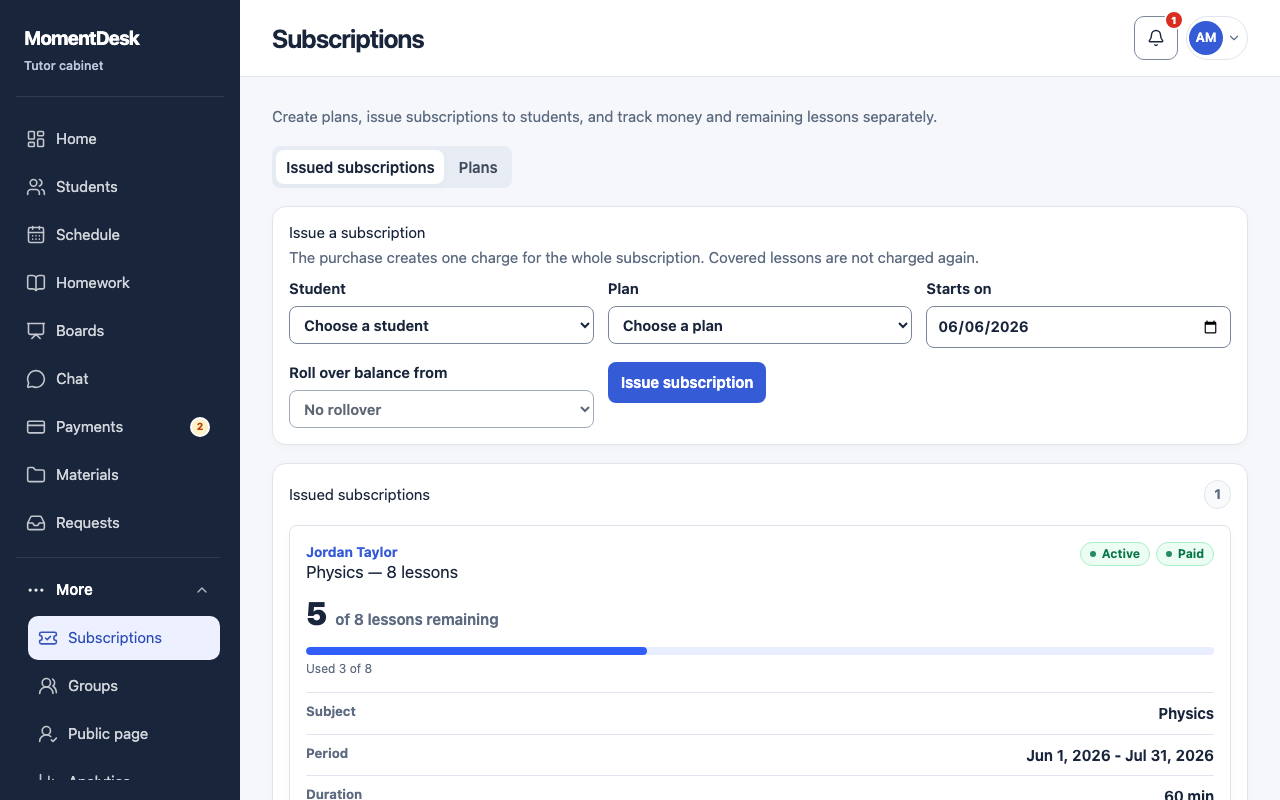
What you end up with
Both of you can see how many lessons are left without counting back through the calendar.
What to do
Open Subscriptions
Subscriptions sits under More in the menu. It has two views: Issued subscriptions and Plans.
Create a plan
Choose Create plan and set Lesson count, the lesson length, Subscription price and Validity, days. Decide whether to Allow unused lessons to roll over and whether to Allow freezing.
Issue it to a student
Choose Issue subscription, pick the student and the plan, and confirm the dates.
Watch it draw down
Eligible completed lessons use the package count instead of creating another lesson charge. The account may still show an unpaid package charge. You and the student can see the remaining lessons.
Freeze, extend or cancel
Freeze pauses a package during a break, Resume restarts it, Extend adds time, and Cancel subscription ends it.
Good to know
- Statuses read Not started, Active, Frozen, No lessons left, Expired and Cancelled.
- Issuing a package does not prove payment. Record the money actually received in a payment entry.
- The schedule calls the same thing a package; the menu calls it a subscription.