Tutor guide · Payments
Check a payment mark from a student
A student's mark is a claim, not a record. Your confirmation is what changes the balance.
Tutors whose students report their own transfers.
What you end up with
Confirmed payments appear on the account; rejected ones tell the student why.
What to do
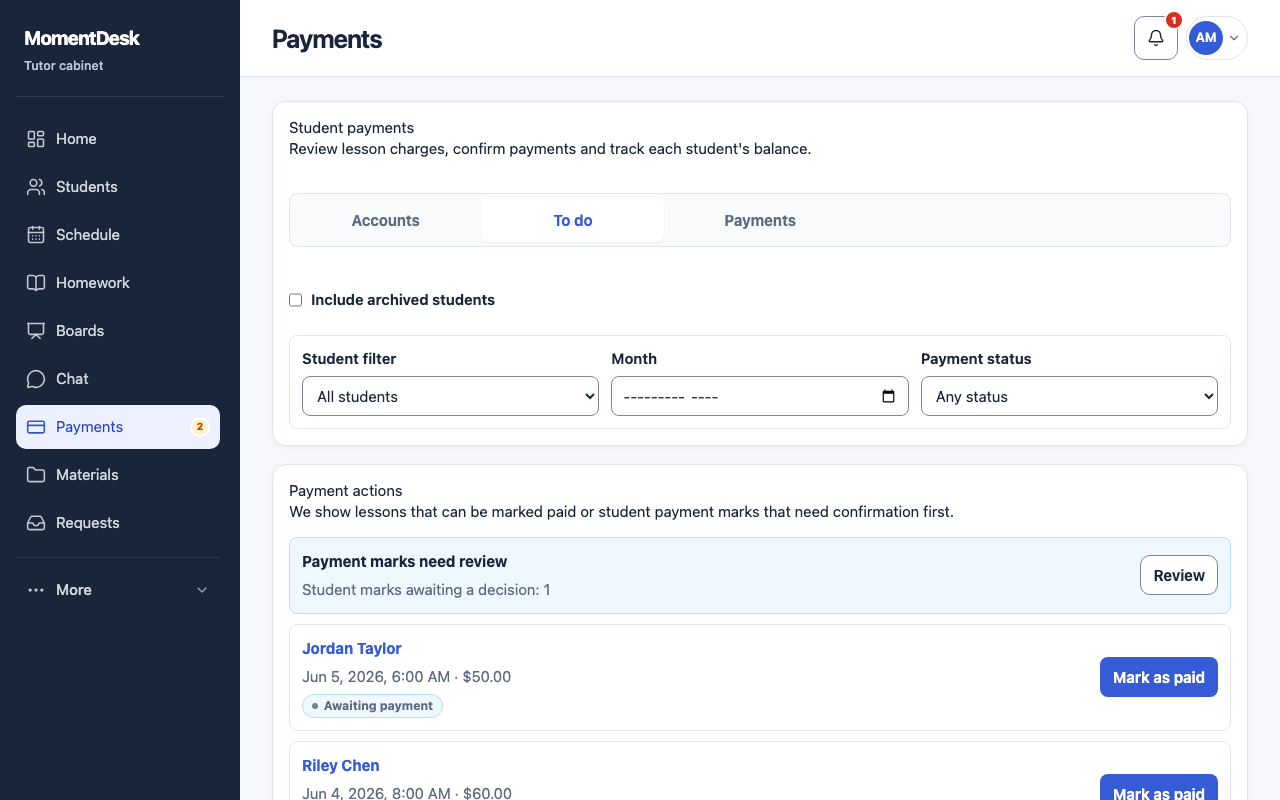
Open what is waiting
Go to Payments and the To do view. The badge beside Payments in the menu counts marks awaiting review.
Read the mark
Each mark shows the amount, the student's comment and, when they attached one, a receipt. Use Show receipt to open it.
Confirm a real payment
Confirm records the money and updates the account.
Reject one you cannot match
Reject returns it. The rejection reason you type is shown to the student, so explain what is missing.
Check the balance
Open the Accounts view afterwards to see the effect.
Good to know
- Statuses read Awaiting decision, Confirmed and Rejected.
- Never confirm a mark you have not actually received money for; the balance is your own record.