Tutor guide · Materials and boards
Upload and edit a study material
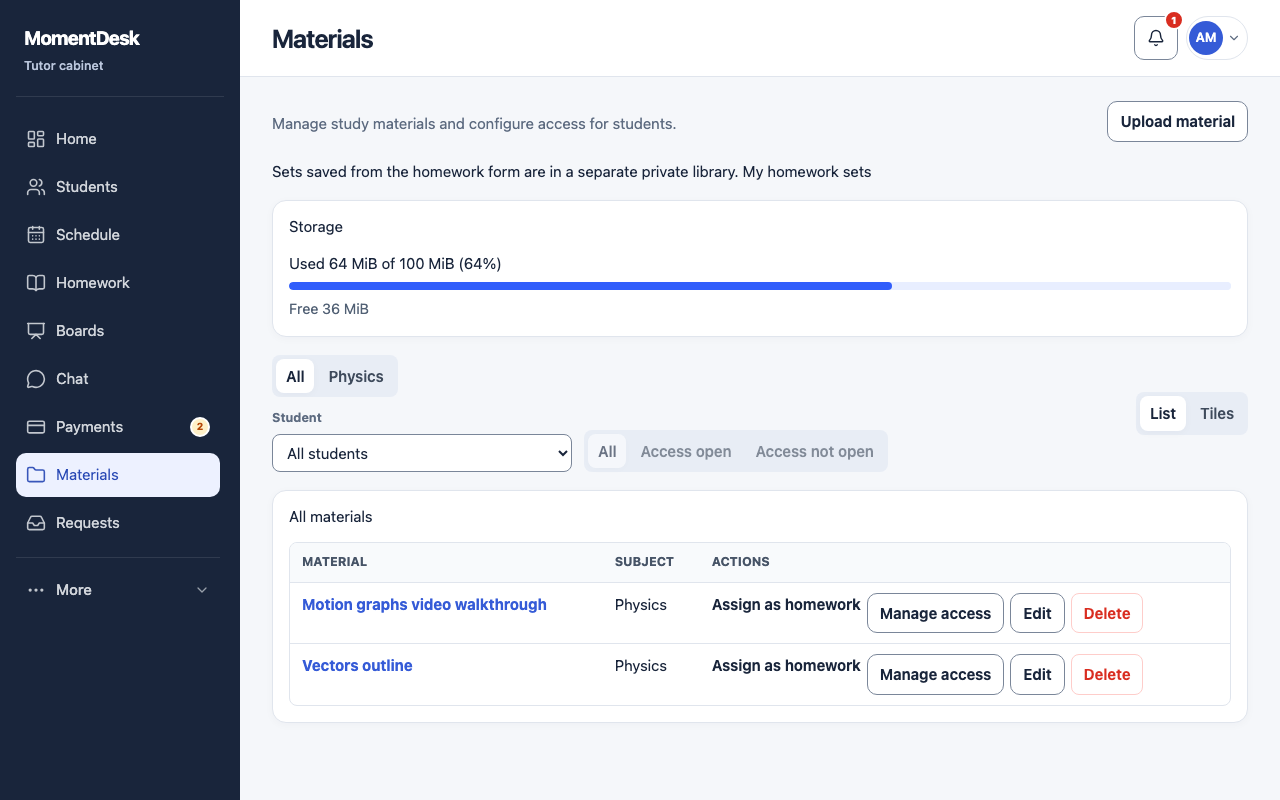
A material belongs to you. Students see it only after you grant access.
Tutors keeping reusable resources in one place.
What you end up with
Your resources are searchable by subject and ready to attach to an assignment.
What to do
Open Materials
Choose Materials in the menu.
Upload the file
Choose Upload material, add one or more files, give them a title and choose a subject. Access is configured after the upload, so nothing is shared while you are still uploading.
Edit the details
Choose Edit to change the title, description, subject or topic. The uploaded file stays the same; upload a new one when its content changes.
Watch your storage
The storage panel shows how much of your plan's library and board space is used and how much is free.
Good to know
- At the storage limit, existing files remain available, but new uploads are refused until you free enough space.
- A material attached to an assignment is also readable by the students that assignment was issued to.