Tutor guide · Homework
Issue homework with files
An assignment carries the instructions, the files and the deadline, so the student has everything in one place.
Tutors setting practice between lessons.
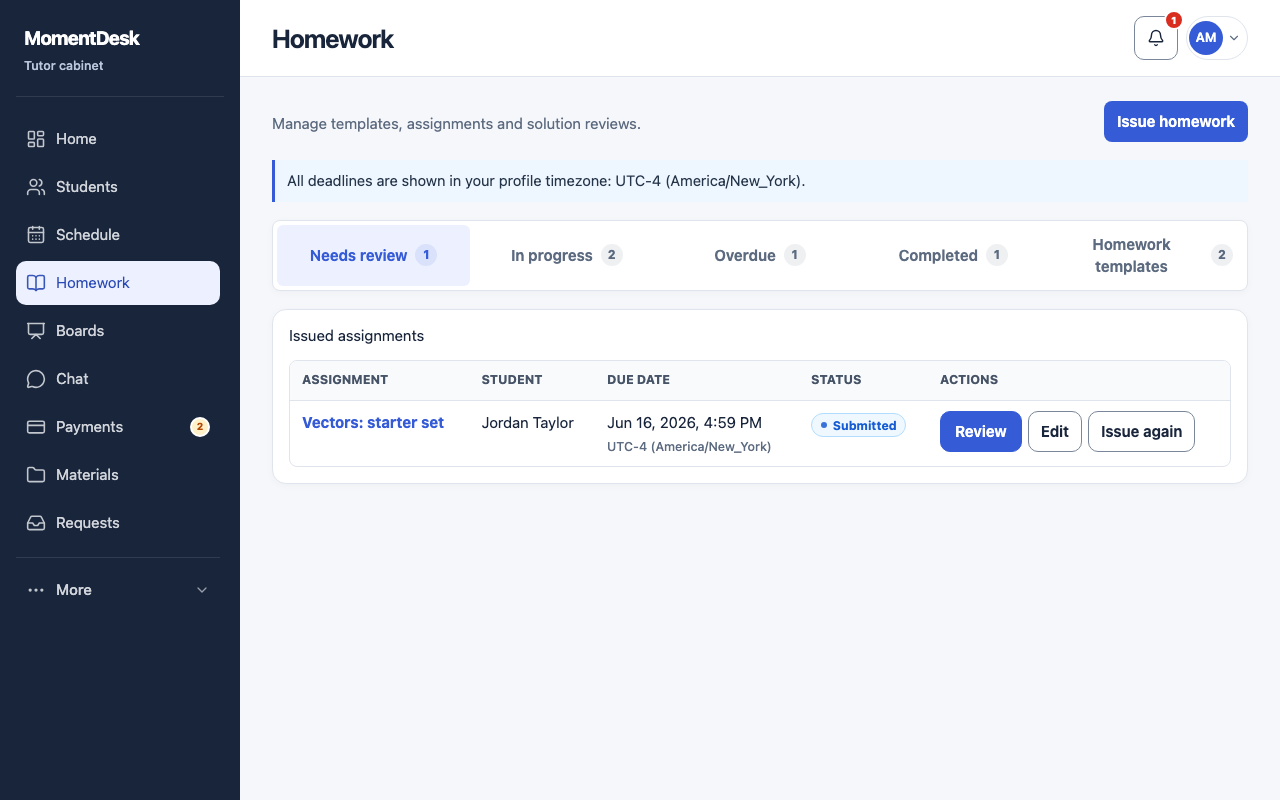
What you end up with
The work appears in each student's workspace, and the assignment shows up in your review queue when it comes back.
What to do
Open Homework
Choose Homework in the menu, then Issue homework.
Write the task
Enter a title, instructions and an optional subject. To reuse earlier work, find it in Homework templates and use Issue again.
Attach what the student needs
Use Choose assignment file for attachments, or choose an uploaded study material. Wait for uploads to finish before issuing the work.
Set the due date
Due date is optional but useful. The suggestions offer the start of the next lesson or the one after it. Deadlines are shown in each person's own profile time zone.
Choose the students
Pick one student or several. Each one gets their own assignment; their submissions and grades stay separate.
Issue it
Choose Issue. Check the assignment appears under In progress and, later, under Needs review.
Good to know
- Issuing an assignment to several students does not create a shared answer sheet.
- The student is notified through the channels they have switched on; you do not have to resend the invitation link.