Student guide · Materials and boards
Open the lesson workspace
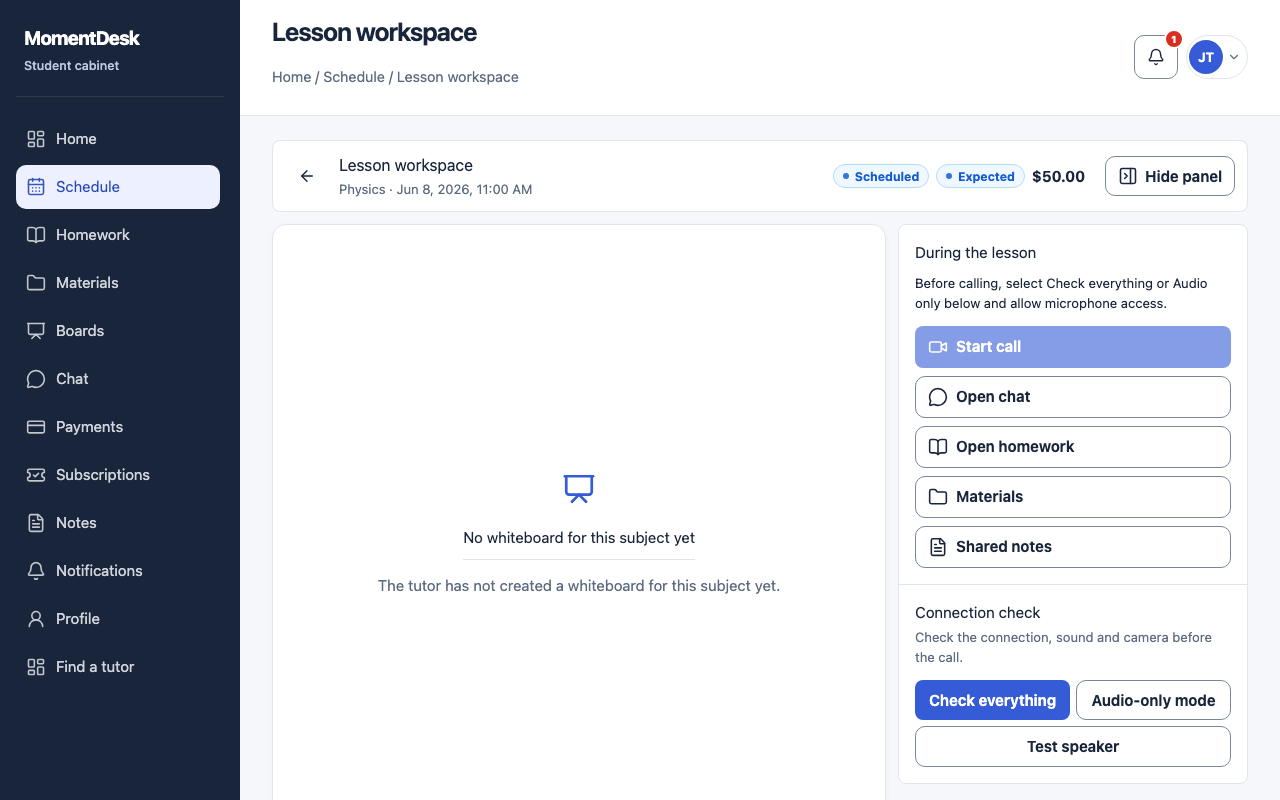
The lesson workspace is where the lesson actually happens: board, chat and materials together.
Students taking an online lesson.
What you end up with
You are ready when the lesson starts instead of looking for the right page.
What to do
Open the lesson
Find the lesson in Schedule and open its workspace.
Check your connection
When calls are available, run Check everything before starting or joining. It checks internet, realtime connection, microphone and camera and offers Audio-only mode.
Use the board
The lesson whiteboard opens in the workspace. Work on it together with your tutor.
Use the side panel
The panel gives you the chat, the homework for the lesson, the materials and the shared notes.
Agree how you talk
If calls are disabled, MomentDesk says so and chat remains available. Agree an external meeting link with your tutor to use alongside the board.