Tutor guide · Students
How learner age and guardian consent work
MomentDesk is for learners aged 14 and older. A learner aged 14–17 signs in only after a parent or guardian confirms.
Tutors teaching learners aged 14–17.
What you end up with
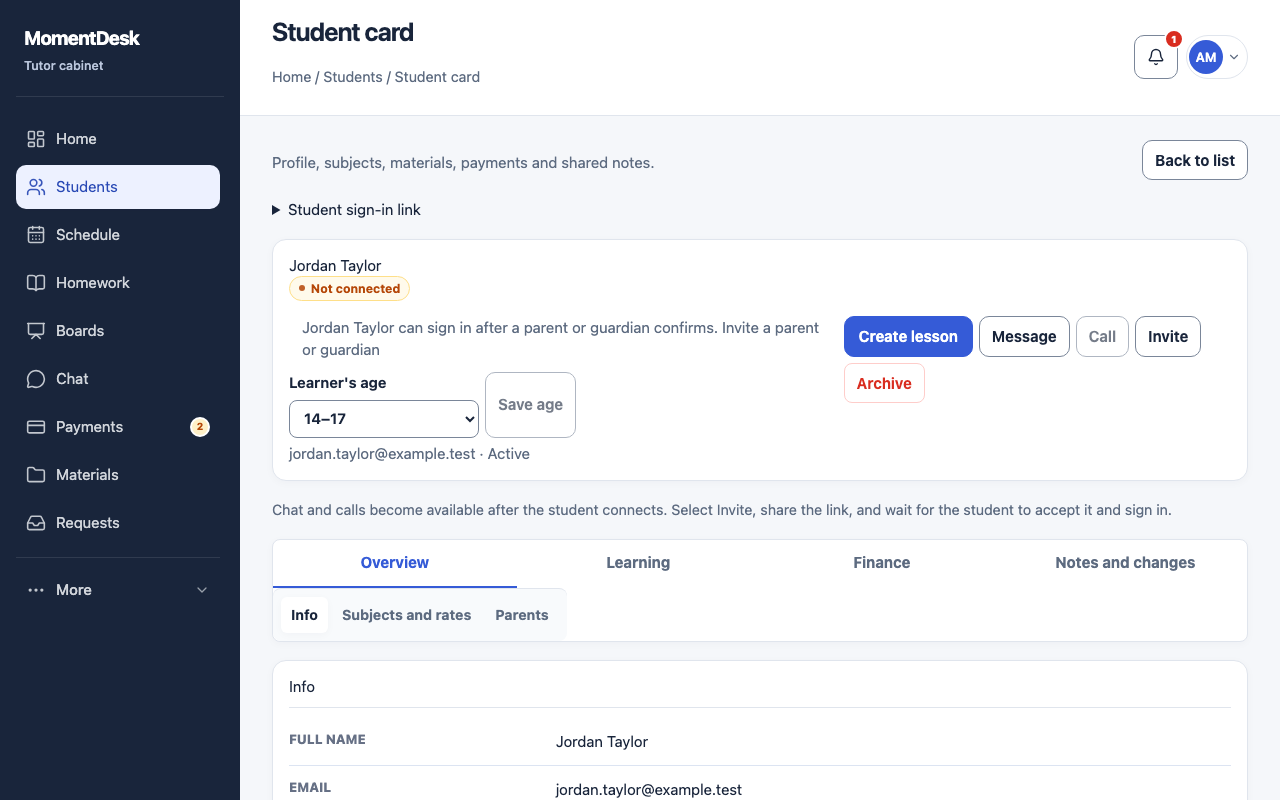
You can tell which learners can sign in and which still need an age group or guardian confirmation.
What to do
Open the student record
In Students, open the learner. The age control sits at the top of the record, next to the connection status.
Read the current state
MomentDesk states it plainly: the age still has to be set, the learner can sign in once a parent or guardian confirms, or a parent or guardian has confirmed consent.
Set or correct the age
Choose 18 or older or 14–17 and choose Save age. Use the same control to correct a mistake — for example when a learner was added by import or through a booking request and has no age yet.
Invite a parent or guardian
For a 14–17 learner, follow Invite a parent or guardian to the Parents tab and create the invitation there. Choose which sections the parent can see before sending it.
Wait for the confirmation
The guardian confirms while accepting the invitation, or later from their own workspace. The learner's record then reads that a parent or guardian has confirmed consent, and the learner can sign in.
Good to know
- Until an age group is set, the learner cannot sign in at all, whichever way their record was created — the form, an import, a booking request or a referral.
- Switching an adult learner to 14–17 stops their access immediately, including password sign-in, session refresh and external accounts, until a guardian confirms.
- A guardian can withdraw consent at any time from their own workspace. Access stops at once and returns only when consent is given again.
If something goes wrong
- The learner says sign-in is refused and mentions their age.
- Open their record and set the age group. For learners aged 14–17, guardian consent is also required.
- Consent stays pending.
- Check that the parent accepted the invitation and confirmed consent from their own account. The tutor cannot confirm on their behalf.
Questions
Can I confirm consent on a parent's behalf?
No. The confirmation is made by the parent or guardian in their own account, and it is recorded against their account.
What happens to lessons and homework if consent is withdrawn?
Records stay where they are. The learner simply cannot sign in until consent is given again.