Tutor guide · Schedule
Plan tutoring lessons across time zones
“Monday at four” is incomplete when two people use different clocks. Agree on the date, the time in both locations and which future lessons a change affects.
Independent tutors and learners arranging online lessons across cities. You can use this checklist with any calendar.
What you end up with
Both people can identify the same appointment, its duration and the scope of any reschedule.
What to do
Choose a location-based time zone
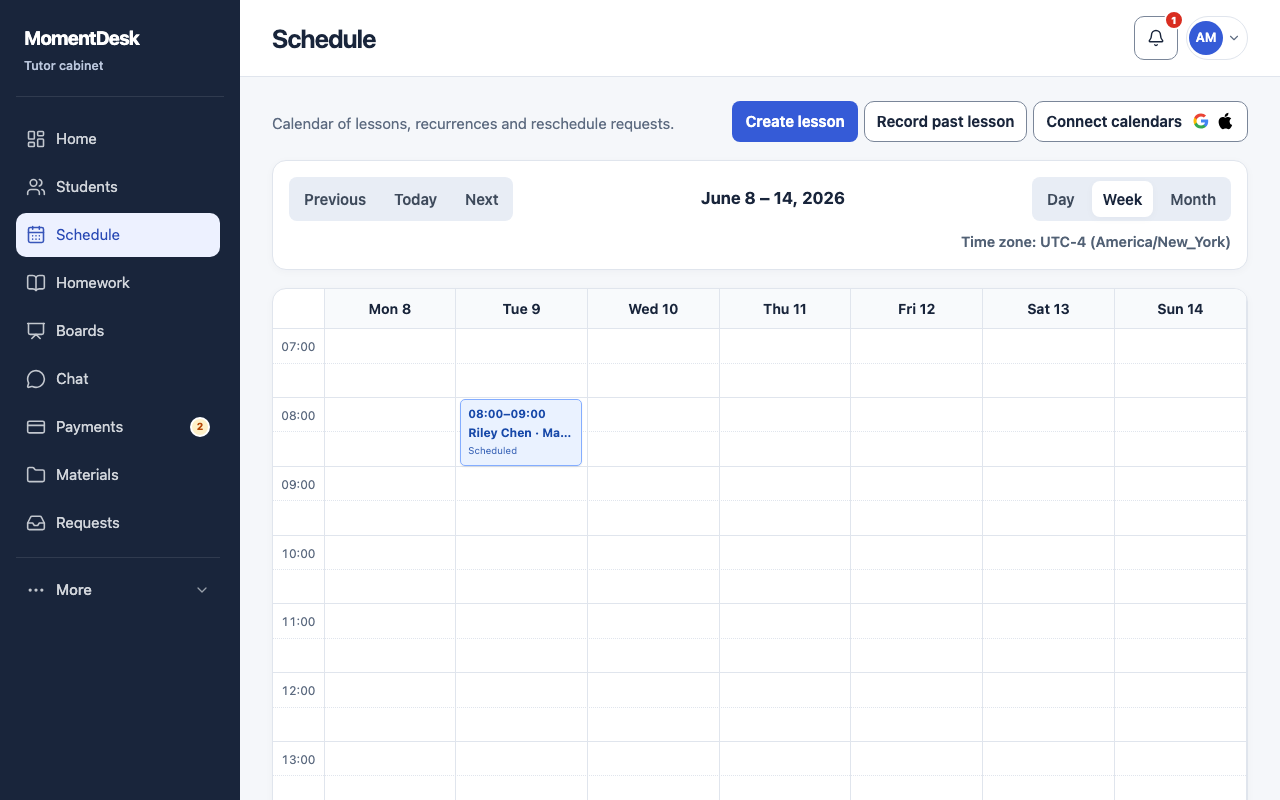
Record each person's city and zone, such as America/New_York and Europe/London. A permanent label such as UTC−4 can become wrong after a seasonal clock change. In MomentDesk, check your profile time zone and the zone shown above the calendar; ask the learner to check theirs too.
Decide whose local time stays fixed
For a weekly lesson, agree whether the tutor's or learner's clock is the reference. Then inspect the next dates in both zones. For example, 16:00 New York is 21:00 London on 19 October 2026, but 20:00 London on 26 October 2026. The difference between cities can change even when the tutor's time stays fixed.
Define the scope before moving a lesson
Separate a one-time reschedule from a change to future lessons in the series. Check the exact date, duration and the next unchanged lesson. If a participant is travelling, update the displayed zone and recheck the appointment; changing a profile zone does not itself move an already saved lesson.
Send a confirmation that can be checked
Copy and adapt: “Confirmed: 26 October 2026, 16:00 New York / 20:00 London, 60 minutes. This change applies only to this lesson. The following lesson stays at its agreed time. Homework deadline: [date, time and zone]. Please reply if your calendar shows something different.” Replace every placeholder before sending.
Review the calendar after saving
Open the saved lesson and compare it with the confirmation. Inspect the first session after either city's next clock change. Keep the homework deadline and lesson-payment decision explicit; do not assume they change merely because the session moved. Check any external calendar separately before relying on its reminder.
Good to know
- The dated New York/London example illustrates a changing offset; it is not a permanent conversion rule. Use the actual date and named zones for your own appointment.
- Checklist: exact date · both local times and zones · duration · one lesson or series · homework deadline · confirmation from the other person.
Questions
Is a fixed UTC offset enough?
It identifies an instant only when the date and current offset are known. For a recurring local-time appointment, use a location-based zone and inspect dates around clock changes.
Does changing my profile time zone reschedule a lesson?
In MomentDesk, saved lessons retain their real moment when the profile zone changes. Their displayed local time changes. Use the lesson reschedule action when you intend to move the appointment.