Tutor guide · Your booking page
Open slots for booking
Working hours describe your week; booking rules decide which start times they produce.
Tutors accepting requests for new lessons.
What you end up with
A visitor sees available times and can request a lesson; the decision stays with you.
What to do
Open Availability
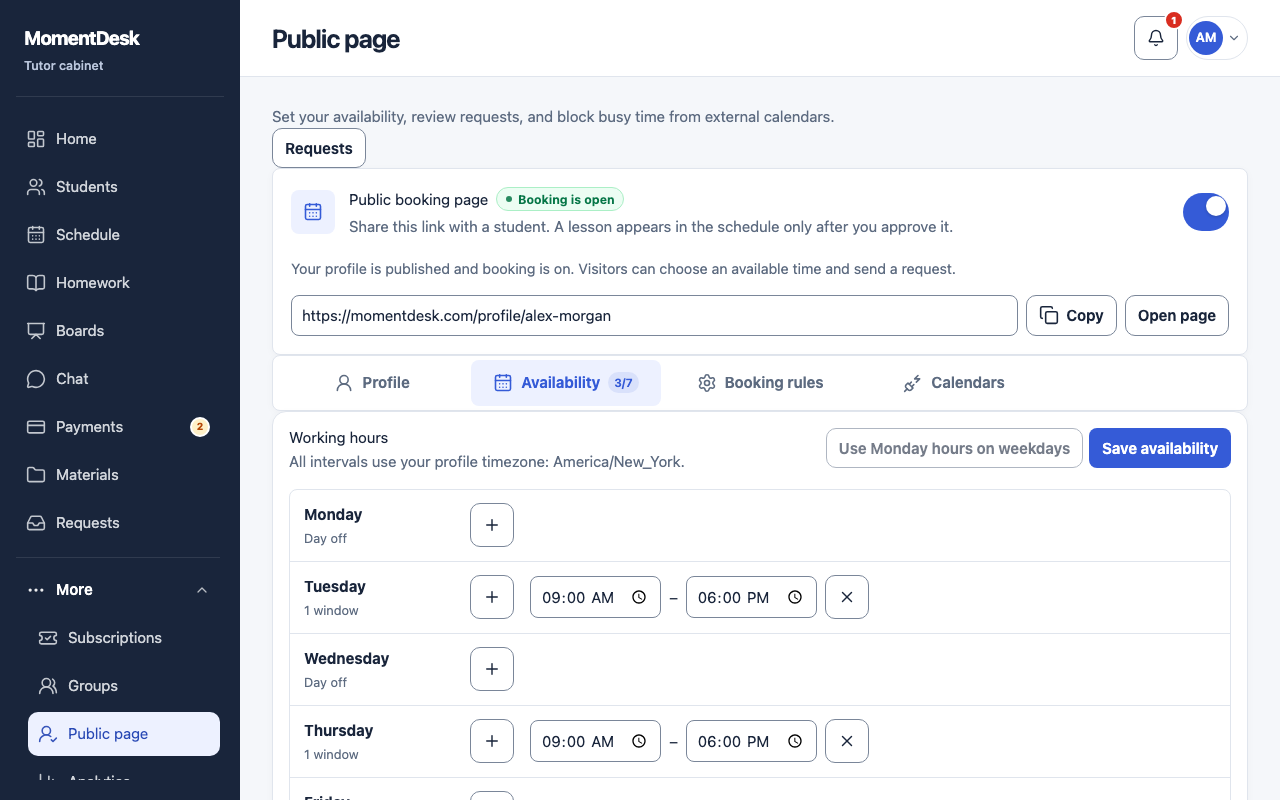
Go to Public page and choose the Availability tab. The counter beside it shows how many days of the week are open.
Set your working hours
Add a window to a weekday with + and set its start and end. A day without a window reads Day off. Use Monday hours on weekdays copies one day across the week. Choose Save availability when you are done. All intervals use your profile time zone, which is named above the list.
Set the booking rules
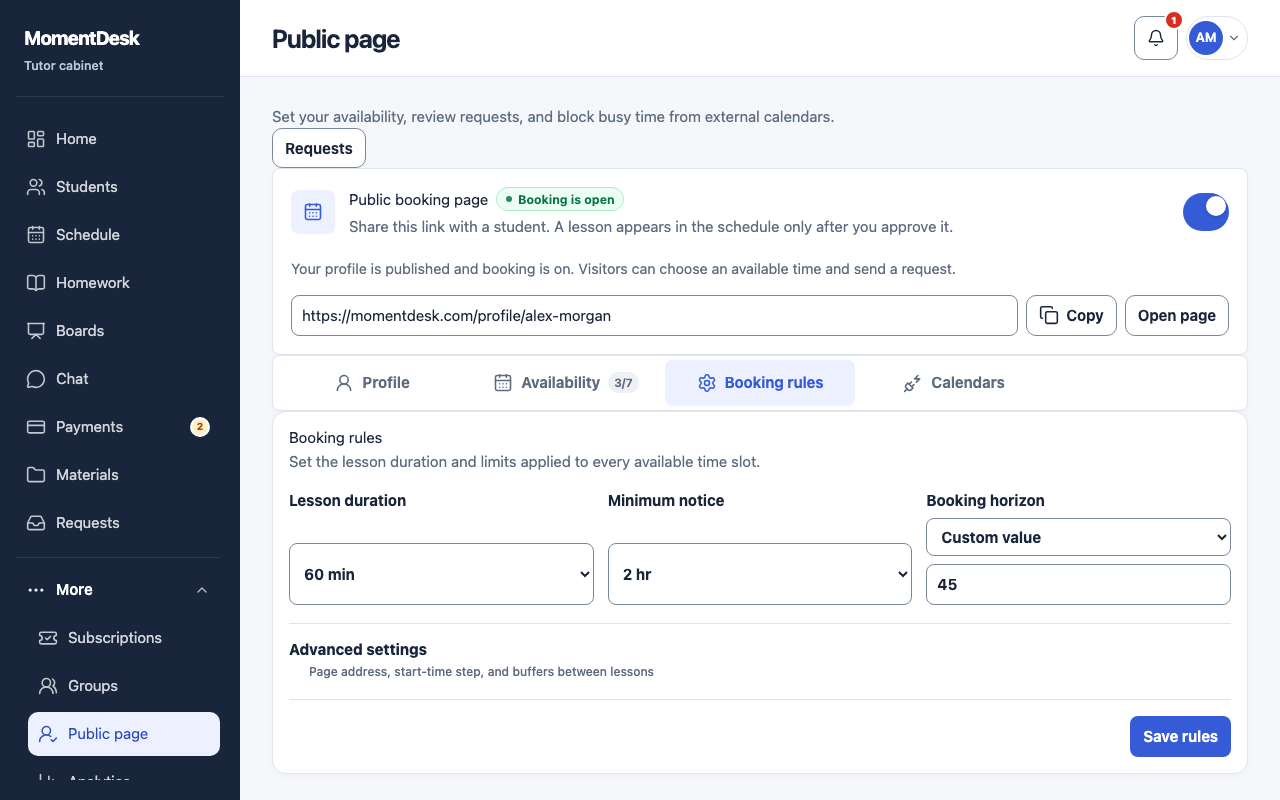
On the Booking rules tab, check Lesson duration, Minimum notice and Booking horizon. Advanced settings holds the page address, start-time step, slot layout and buffers between lessons. Choose Save rules.
The MomentDesk interface in English, shown with fictional names and records. Block busy time from another calendar
On the Calendars tab, the right-hand side takes a private ICS address from another calendar and blocks that busy time. Only the start and end of each busy interval are stored — not event names, descriptions or attendees.
Review requests
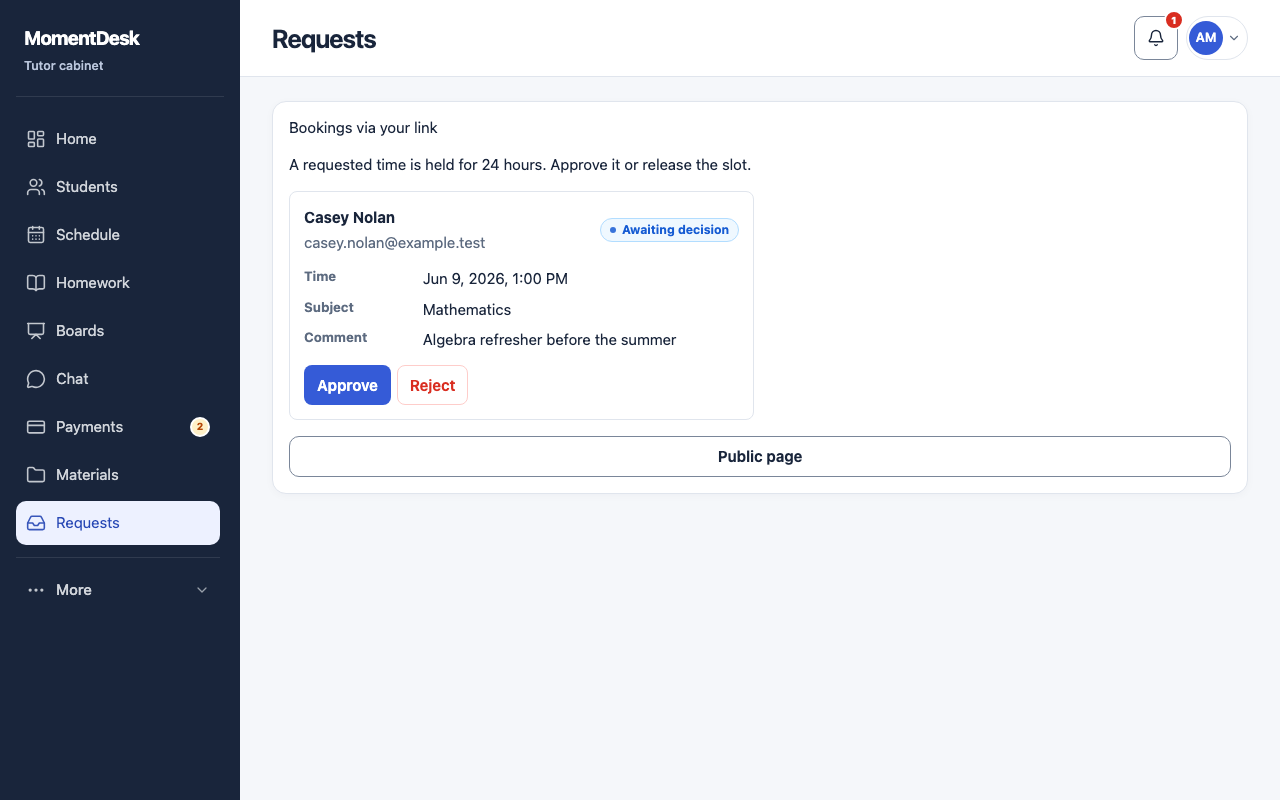
Open Requests in the main menu. Check the time and note, choose an existing student and subject or create a student, then approve or reject. A new student requires a positive lesson price. A lesson is created only after approval.
The MomentDesk interface in English, shown with fictional names and records.
Good to know
- Slots account for lessons, external busy time and temporary request holds; availability is checked again when you approve.
- Every request still needs your decision; nothing is added to your calendar automatically.
- Requests require a published profile and open booking. Turning booking off at the top preserves working hours.
- After creating a new student, declare their age group in the student card before they sign in. Learners aged 14–17 also need a parent or guardian’s consent.