Tutor guide · Getting started
Sign in and get back into your account
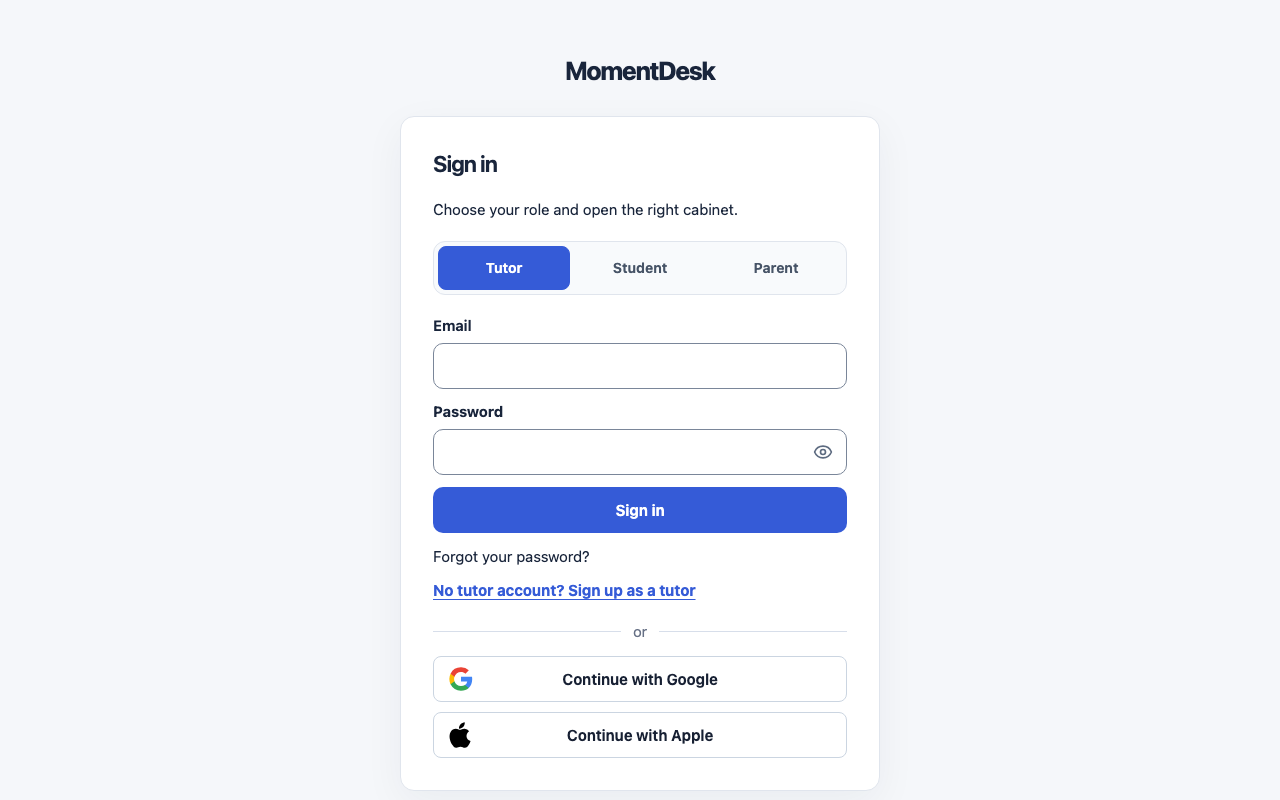
Every role signs in from the same page. Choosing the right role opens the right workspace.
Tutors, students and parents with a MomentDesk account.
What you end up with
You land in the workspace for your role instead of an error about the wrong account.
What to do
Choose your role
On the sign-in page, choose Tutor, Student or Parent. The page keeps the same layout for each, but the sign-in methods differ: a tutor uses an email and password, a student usually uses a personal link or a sign-in code, and a parent uses the account created from their invitation.
Sign in with an email and password
Enter Email and Password, then choose Sign in. New passwords must be 8–128 characters; a long passphrase is an option. Common passwords are rejected when you create or reset one.
Or continue with an external account
Below the divider, Continue with Google or Continue with Apple signs you in without a password. Only the methods your MomentDesk workspace has enabled appear here. A student or parent can use an external account only after linking it in their own profile first.
Recover a lost password
Choose Forgot your password? and enter the account email. If an account exists, MomentDesk prepares recovery instructions. The page does not confirm whether an address is registered, so check the mailbox you actually used.
Check the role if sign-in is refused
Signing in with a student account on the Tutor tab is refused with a message naming the correct role. Go back, choose that role and sign in again.
Good to know
- MomentDesk is for learners aged 14 and older. A learner aged 14–17 can sign in only after a parent or guardian confirms consent.
- A learner whose tutor has not set an age group yet cannot sign in. The message asks the tutor to update the profile.
- The privacy panel on the first visit is about analytics only. Choosing Necessary only does not limit the product.
If something goes wrong
- “This is a student account” appears on the Tutor tab.
- Choose the role named in the message and sign in again. Roles are separate accounts, not views of one account.
- A parent or guardian still has to confirm.
- The learner is 14–17 and consent is missing. Ask the tutor to invite a parent or guardian from the student's record.
- The external sign-in button is missing.
- That method is not enabled for your workspace. Use your email and password, or an available student personal link or code.